
Flip a Custom Coin
Flip a Coin Custom
Flip the Coin
Customization
Player 1 (Heads)
Player 2 (Tails)
COLOR THE COIN!
Quick Color Presets:
Sound Options
Your Stats
Global Stats
Flip a Coin Custom – Personalize Your Virtual Coin Toss
Coin flipping has always been one of the simplest ways to make fair, random decisions. But what if you could make it more personal, colorful, and fun?
Think like this, when the coin flip and shows your face and your friend face – this will give more excitement right? instead of boring heads and tails.
And also you can edit the name from heads or tails to your name. So this will give more engagement to your game or any decision.
That’s exactly what the Flipiffy tool lets you do.
This interactive tool allows you to flip a virtual coin and fully customize how it looks, sounds, and behaves. Change colors, upload your own images, rename sides, and even pick your favorite sound effects. Whether you’re using it for fun, games, or decision-making, this customizable coin flipper makes every toss feel unique.
What Is the Flip a Coin Custom Tool?
The Flip a Coin Custom tool is an advanced version of a traditional online coin flip. Instead of a simple heads-or-tails result, this version gives you full control over the design and style of your coin.
You can:
- Rename the sides (for example, “Yes” and “No” instead of “Heads” and “Tails”)
- Upload your own images for each side. (Dont get panic, we wont save you datas and images)
- Change the colors of the coin, border, and text
- Select sound effects such as a digital flip, metal clink, or classic coin sound
- Save or reset your customization at any time
The result? A fully personalized flipping experience that looks great and feels interactive. This feature wont availble in online, Flipiffy is the first tool bring the customization only for you (the users)
How It Works
Using the custom coin flipper is easy and fun.
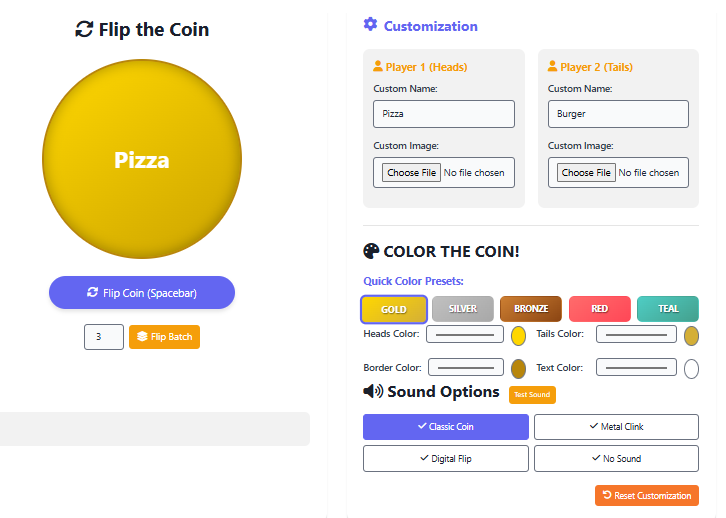
On the left side of the screen, you’ll find the main coin display with a large button to flip it. On the right side, you’ll see all the customization controls.
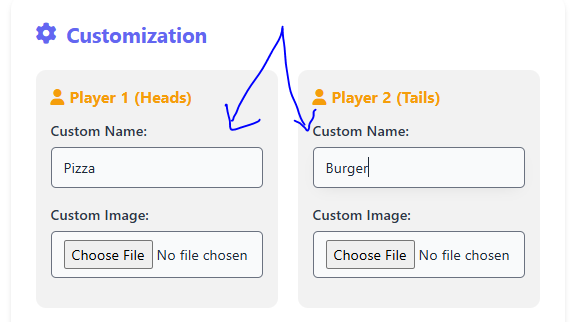
Choose Custom Names:
In the “Player 1” and “Player 2” sections, you can rename each side of the coin. For instance, replace “Heads” with “Win” and “Tails” with “Lose,” or use labels like “Pizza” vs. “Burger” for fun decision-making.
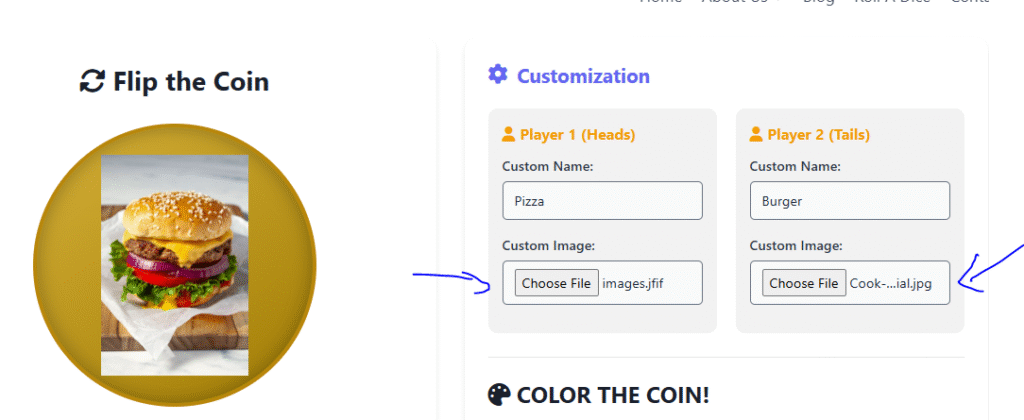
Upload Custom Images:
Add personal or themed images for each side of the coin. You can use logos, emojis, icons, or photos to make your coin unique. The uploaded image appears when that side lands face up.
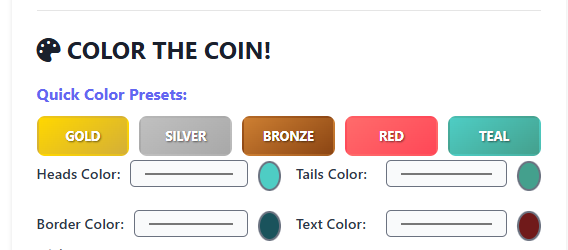
Pick Your Colors:
Under the “Color the Coin” section, you can select from quick presets such as Gold, Silver, Bronze, Red, or Teal, or manually adjust the colors for heads, tails, border, and text.
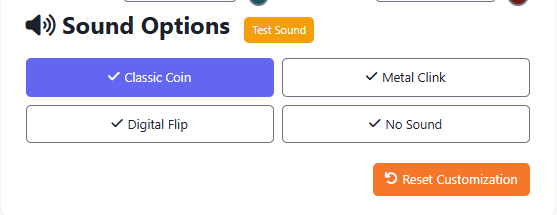
Choose Sound Options:
Add a touch of realism with the “Classic Coin” or “Metal Clink” sounds, or make it modern with a “Digital Flip.” You can also turn off sounds entirely if you prefer silence.
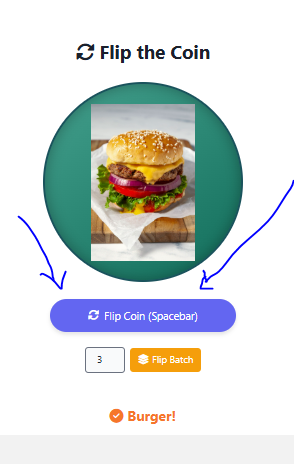
Flip the Coin:
Once customized, click the “Flip Coin” button or press the spacebar to toss your coin. You’ll see a smooth animation and a random result, just like a real flip.
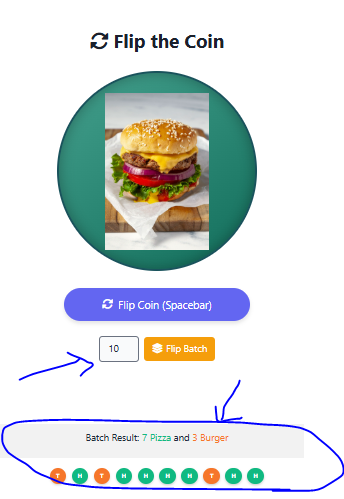
Batch Flips:
Want multiple results at once? Use the “Flip Batch” option and enter how many times you want to flip. The tool will generate several random outcomes instantly.
Why Customize a Coin Flip?
Customization adds personality and flexibility to a simple concept. Here are some creative ways people use the Flip a Coin Custom tool:
1. Make Personalized Decisions
Instead of “Heads or Tails,” use options like “Option A or Option B,” “Yes or No,” or “Stay or Go.” You can label the sides however you want to fit your situation.
2. Use It for Games
In friendly challenges, online games, or group activities, a customized coin flip can represent teams, players, or outcomes. Upload team logos or colors to make it more engaging.
3. Add Brand or Event Themes
Teachers, streamers, and event organizers can upload custom designs that fit their theme or brand. It’s perfect for interactive content, classroom lessons, or giveaways.
4. Make It Visually Appealing
Changing the colors and sounds keeps the experience fun and dynamic. Whether you prefer a sleek silver coin or a bright red one, you can match the look to your taste.
Features of the Flip a Coin Custom Tool
- Full Customization: Change text, colors, images, and sounds.
- Quick Presets: Instantly switch between color themes like gold, silver, and bronze.
- Multiple Flip Options: Flip once or perform batch flips for repeated randomization.
- Realistic Sound Effects: Choose from three flip sound types or go silent.
- Responsive Design: Works smoothly on desktop and mobile devices.
- Reset Anytime: Want to start fresh? Hit “Reset Customization” and begin again.
Every feature has been designed to make your coin flip more flexible and enjoyable.
How Random Is the Result?
Just like a traditional coin flip, every toss in this tool has a 50/50 chance of landing on either side. The randomization is handled by a secure algorithm that ensures each outcome is completely independent. No patterns, no bias — just fair randomness every time you click.
If you flip 100 times, the results should naturally balance close to half Heads and half Tails, proving the fairness of the simulation.
When to Use the Flip a Coin Custom Tool
This tool is perfect for:
- Online games and challenges
- Classroom demonstrations
- Decision-making at work or home
- Stream or content engagement (like live polls)
- Just having fun with friends
Because it’s web-based, you can access it from anywhere — no downloads, apps, or logins needed.
The Flip a Coin Custom tool brings creativity and personality to the classic coin flip. With options to customize names, upload images, change colors, and select sounds, you can make every toss your own. Whether you’re deciding something serious or just looking for fun, this tool gives you full control and instant, fair results.
Try it now — personalize your coin, hit “Flip Coin,” and see what side your luck lands on.